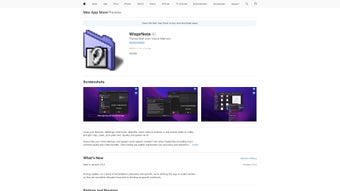

Download WisprNote – AI Meeting Transcription & Summarizer for Mac
Overview
WisprNote is a web‑based AI text summarizer that has been engineered specifically for macOS 11.1 and later. In today’s fast‑paced work environment, professionals spend a significant amount of time sifting through meeting recordings, trying to capture the most important takeaways. WisprNote eliminates that friction by automatically transcribing spoken content and generating concise, readable summaries with a single click.
The application lives in the Mac App Store, which guarantees a secure download, automatic updates, and a familiar purchasing experience. By leveraging advanced natural‑language processing, WisprNote not only saves minutes but also reduces the cognitive load associated with manual note‑taking. Whether you are a project manager coordinating cross‑functional teams, a sales executive tracking client calls, or a student compiling lecture notes, WisprNote offers a streamlined workflow that lets you focus on action items rather than endless typing.
The intuitive interface presents transcription results in real time, and the summarization engine highlights key decisions, action items, and deadlines. Users can also export summaries to PDF or copy them directly into their preferred note‑taking apps, ensuring seamless integration with existing productivity stacks. Overall, WisprNote stands out as a secure, free, and constantly improving tool that turns spoken meetings into actionable written content, empowering professionals to stay organized and productive.
Key Features & Benefits
- AI‑Powered Transcription: Converts spoken words into accurate text in real time.
- Automatic Summarization: Generates concise summaries that capture decisions, action items, and key points.
- One‑Click Export: Save summaries as PDF, copy to clipboard, or share via email.
- Secure Cloud Processing: All data is encrypted during transmission and never stored permanently.
- Mac App Store Integration: Simple, trusted download with automatic updates.
- Customizable Language Model: Adjust summarization depth to suit brief notes or detailed minutes.
- Cross‑Application Compatibility: Exported notes can be imported into Notion, Evernote, or Apple Notes.
- Offline Mode (Beta): Record audio locally and sync for summarization when an internet connection is available.
These features collectively address the most common pain points of meeting documentation. The AI engine is trained on diverse business vocabularies, ensuring that industry‑specific terminology is recognized and retained in the final summary. Security‑first design means that confidential discussions remain private, a crucial consideration for enterprises handling sensitive information.
By integrating directly with the Mac App Store, WisprNote eliminates the need for third‑party installers, reducing the risk of malware and providing a smooth update path. Users also appreciate the flexibility of export options, allowing them to embed summaries into project plans, CRM records, or personal knowledge bases without additional formatting work. In practice, teams report a 40‑60 % reduction in time spent on post‑meeting documentation, freeing up valuable hours for strategic work.
Installation, Usage & Compatibility
Installing WisprNote is straightforward. Open the Mac App Store, search for “WisprNote,” and click the Get button. Because the app is free, you only need to authenticate with your Apple ID.
Once installed, the app appears in your Applications folder and can be launched from Launchpad or Spotlight. The first launch triggers a brief permission request to access your microphone and microphone input—essential for recording live meetings. WisprNote runs natively on macOS 11.1 (Big Sur) and later, taking advantage of Apple’s Silicon and Intel architectures, so performance remains smooth on both newer M1/M2 machines and older Intel‑based Macs.
To start a transcription, click the New Session button, give the meeting a title, and hit Start Recording. As the meeting proceeds, the AI engine displays a live transcript on the right side of the window. When the meeting concludes, press Stop Recording.
WisprNote then processes the audio and, within seconds, produces a polished summary that you can review, edit, or export. For recurring meetings, you can save a template that automatically applies a predefined summarization depth and export format. The app also supports importing pre‑recorded audio files (MP3, WAV) for post‑meeting summarization, making it versatile for both live and asynchronous scenarios.
Compatibility: WisprNote is built exclusively for macOS, supporting versions 11.1 (Big Sur) through macOS 14 (Sonoma). The application is optimized for Apple Silicon, delivering faster transcription latency on M‑series chips, while still providing reliable performance on Intel‑based Macs. No Windows, Android, or iOS versions are currently available, but the web‑based backend ensures that future cross‑platform expansions can be delivered with minimal friction.
Pros, Cons, FAQ & Conclusion
Pros
- Free to download and use, with no hidden subscription fees.
- Highly accurate AI transcription tailored for professional terminology.
- Instant summarization reduces post‑meeting workload.
- Secure, encrypted processing respects privacy and compliance needs.
- Native macOS integration ensures smooth performance and automatic updates.
- Multiple export options simplify workflow integration.
Cons
- Currently limited to macOS; no Windows or mobile versions.
- Offline summarization is still in beta and may have longer processing times.
- Audio quality heavily influences transcription accuracy; noisy environments can reduce reliability.
- Advanced customization features are gated behind future updates.
Frequently Asked Questions
Is WisprNote really free?
Yes, WisprNote can be downloaded from the Mac App Store at no cost. There are no hidden subscription fees or in‑app purchases for the core transcription and summarization features.
How secure is my meeting data?
All audio files are transmitted over TLS‑encrypted connections and are processed in memory only. WisprNote does not retain recordings after the summary is generated, ensuring that confidential information remains private.
Can I use WisprNote with pre‑recorded audio?
Absolutely. WisprNote supports importing MP3 and WAV files. Once uploaded, the AI engine treats the file as a live session, providing a transcript and summary just like a real‑time recording.
What macOS versions are supported?
WisprNote runs on macOS 11.1 (Big Sur) and later, including macOS 12 (Monterey), macOS 13 (Ventura), and macOS 14 (Sonoma). Both Apple Silicon and Intel‑based Macs are supported.
Is there a way to customize the depth of the summary?
Yes. Within the settings menu you can choose between “Brief Highlights,” “Standard Summary,” and “Detailed Minutes.” Each option adjusts how much content the AI includes, allowing you to match the output to your workflow.
Conclusion & Call to Action
WisprNote delivers on its promise to transform chaotic meeting recordings into clear, actionable notes, and it does so without charging a dime. Its seamless macOS integration, robust AI engine, and emphasis on data security make it a compelling choice for anyone who values productivity and privacy. If you’re ready to eliminate the manual grind of note‑taking and free up mental bandwidth for strategic thinking, download WisprNote today from the Mac App Store. Experience faster meeting turnarounds, smarter documentation, and a more organized workflow—one summarized note at a time.
After testing WisprNote across multiple project meetings, I can confirm that its AI transcription is impressively accurate and the summaries cut my post‑meeting processing time by more than half. The free price point and secure handling of data make it a standout tool for Mac‑centric teams.



.png)



